|
<< Click to Display Table of Contents >> Virola Client > Virola app configuration > My presence status |
General
My presence status tab allows selecting idle detection and live avatar settings for Virola client. You can adjust live avatar settings and app behavior in case you need to step away and would like to show your co-workers that you are away.
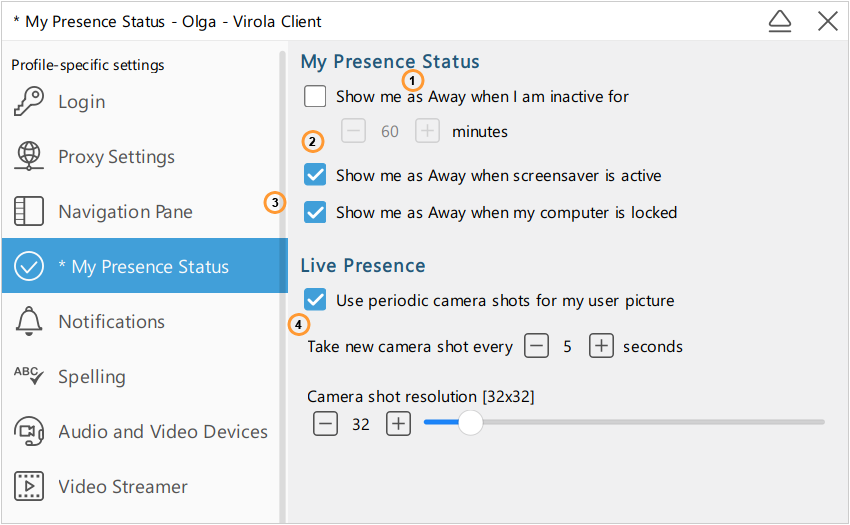
Presence settings for Virola client
1.Show me as away when I am inactive for XX minutes - will automatically switch to away status if there has been no activity on a computer for XX minutes
2.Show me as away when screensaver is active - will automatically switch to away status if screensaver has been activated
3.Show me as away when my computer is locked - will automatically switch to away status if if you locked your computer
4.Live Presence. If you enable "Use periodic camera shots for my user picture", other users will see your user picture changing each XX seconds. You can choose there the time periods for camera shots and camera shot resolution