|
<< Click to Display Table of Contents >> Supporter Portal > License questions > How to generate Virola license with custom price |
General
If a user requests a license with a custom price or for more than 1000 online users, you can create it following these steps:
1.Open https://virola.io/admin/signin page and log into with admin email and password
2.Follow there 'Create license page'
3.Select SelfHostedSubscriptionMonthly or SelfHostedSubscriptionYearly as license type
4.Fill out the fields with customer details
5.Specify the number of users and price
6.Click 'Generate License' button
7.Send the license to the customer, who will have to upload it in Virola Client Administration / Virola License menu.
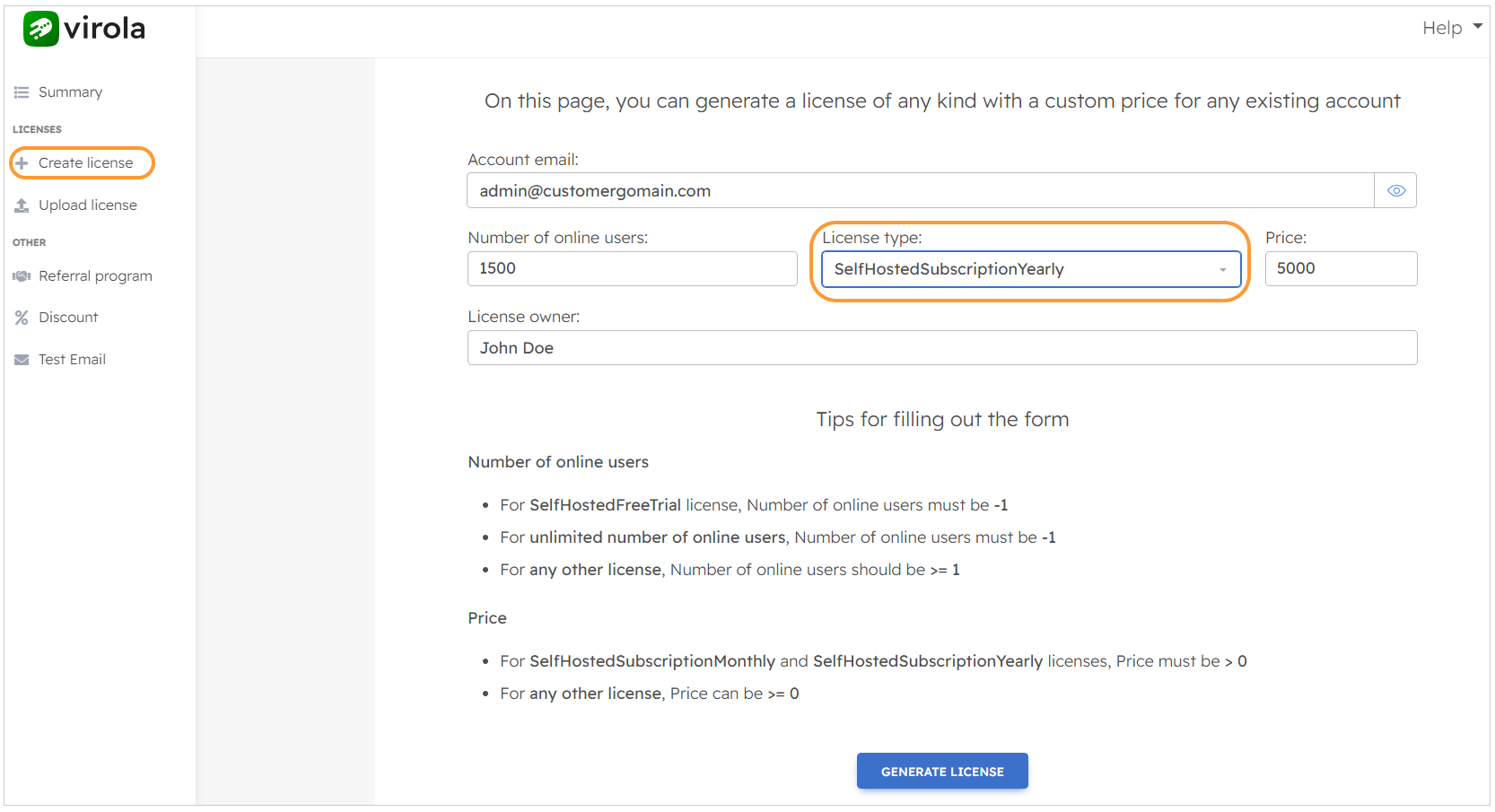
Custom license