|
<< Click to Display Table of Contents >> Supporter Portal > License questions > How to generate free trial license |
General
A free trial license is generated for 30 days by request for any number of users. To generate a free trial license you should do the following:
1.Open https://virola.io/admin/signin page and log into with admin email and password
2.Follow there 'Create license page'
3.Select SelfHostedFreeTrial as license type
4.Fill out the rest of fields with customer details
5.For the free trial license the value -1 should be entered to the field 'Number of online users'
6.Click 'Generate License' button
7.Send license to the customer, who will have to upload it in Virola Client Administration / Virola License menu.
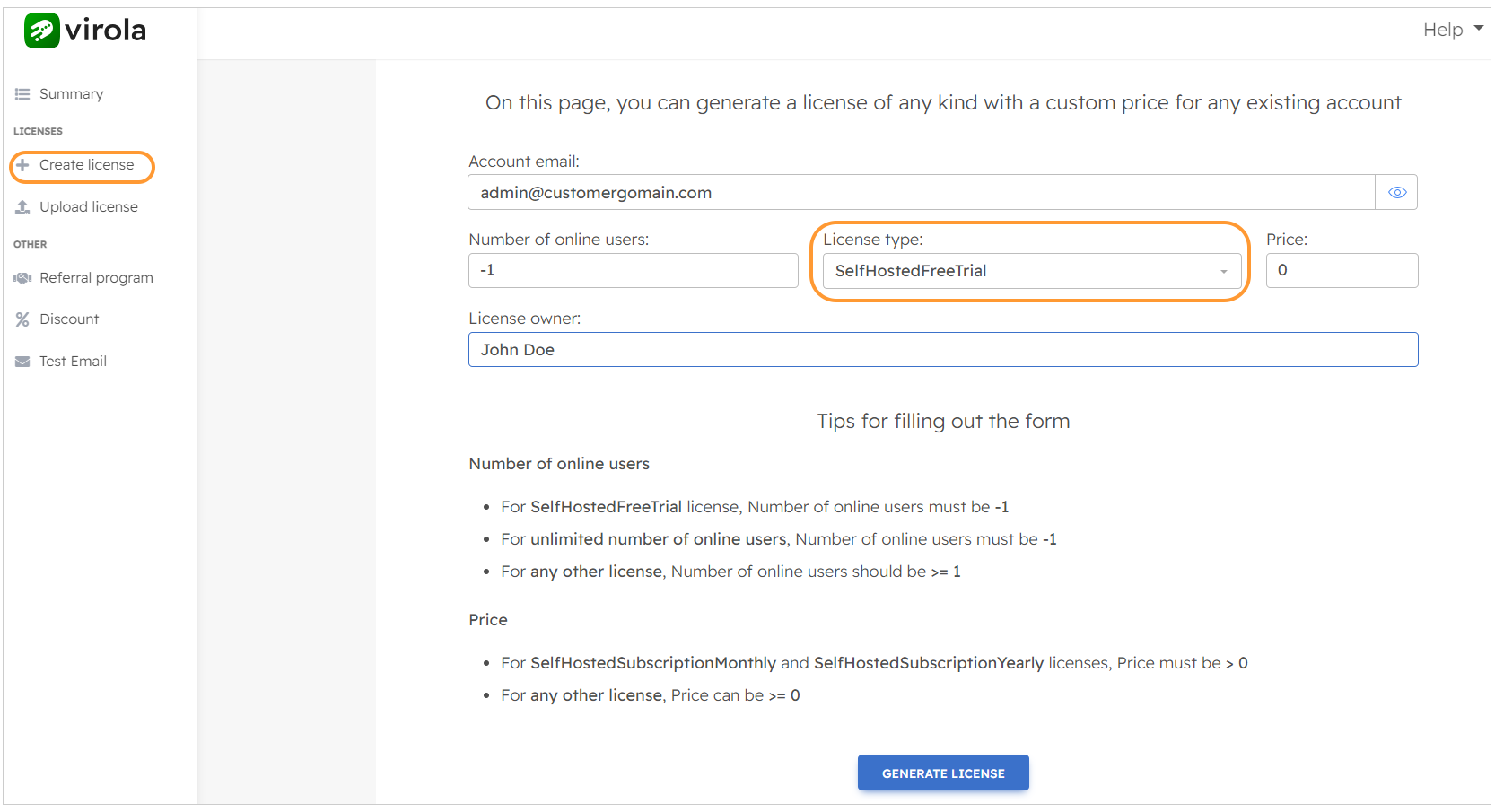
How to generate a free trial license